Wardline Co-Parent · For families
Parenting across households, together.
For everyday family life when children live in more than one home: split weeks, hybrid arrangements, step-parents, grandparents and blended families. The schedule, the belongings, the costs and the conversation, in one shared place.
Now in private testing for families in the USA, on iPhone and iPad, Android and the web. Request a place

Built for every family
Not just for when things are hard
Most co-parenting apps are built for the worst case. Wardline is built for every week: the swapped weekend, the passport at the other house, the school trip that needs splitting, the grandparent doing Tuesday pickup.
Less admin, fewer texts
For parents who get along and just want one place for the schedule, the costs and "who has the shoes?".
Any arrangement
Week on/week off, 2-2-3, main home plus weekends, or something that's entirely your own, per child if you need it.
Everyone who cares for them
More than two parents, step-parents, grandparents, and children who belong to more than one household.
Clear records and fair rules help every family, whether you get along easily or find it hard. When it's calm, Wardline saves time. When it isn't, you'll be glad everything is on the record.
Who's in your family
Everyone in the right role
Each parent confirms their relationship to the children when they join, and it's recorded permanently.
Equal authority, however many
Every parent or guardian has the same standing, with no primary account holder and no limit on how many. Significant changes need everyone's agreement.
Step-parents, grandparents, carers
See the calendar, join the family conversation and stay in the loop, without a vote on family decisions.
Mediators and coordinators
Only the access you've granted. A shared professional needs every parent's agreement, and can only read messages if you all agree to that too. For professionals
Features
Everything that moves between homes
Each feature shows how much agreement it needs: Everyone agrees Other person confirms Just you
Use only the parts you need; switch the rest off.
Custody schedule
A schedule that fits your family
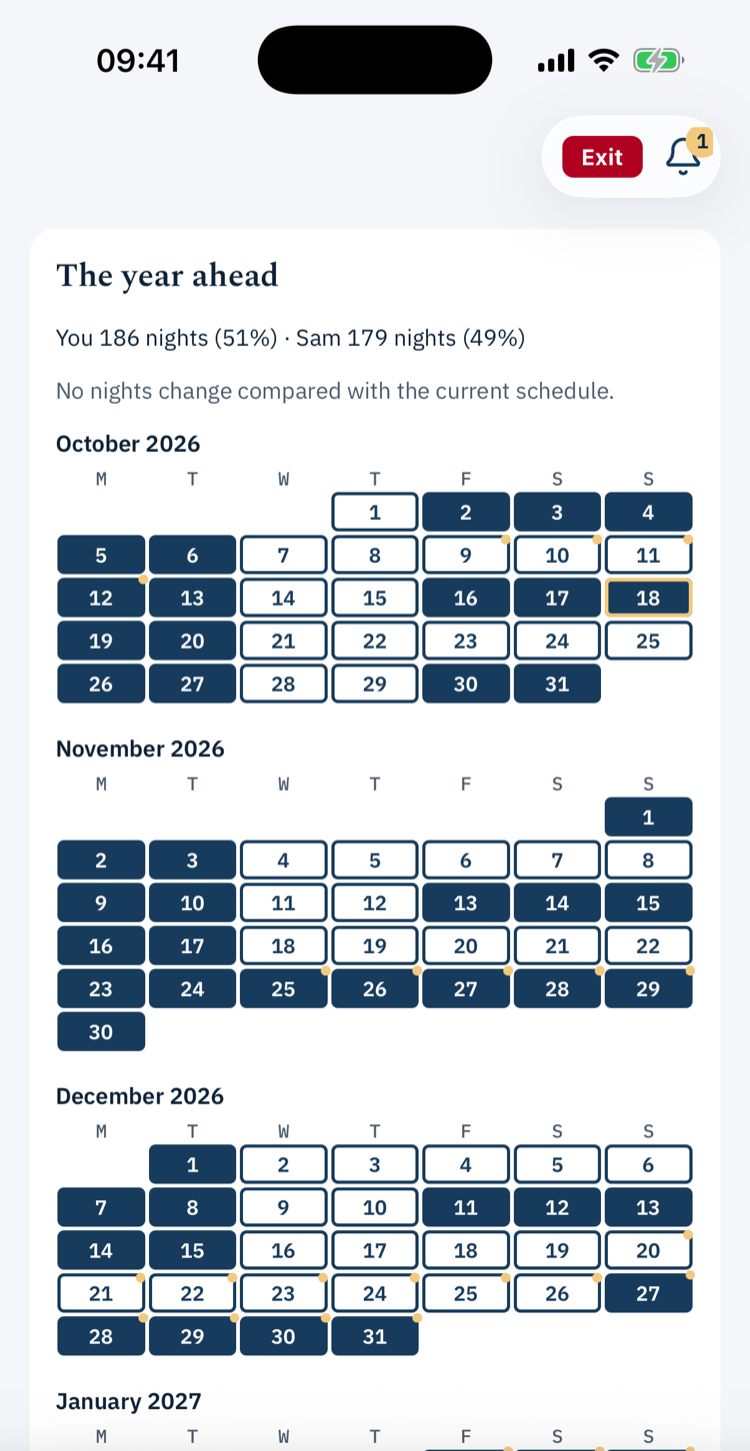
Build the whole year, not just a week. Every day shows who has the children, and when and where the handover happens.
- Any pattern: 2-2-3, week on/week off, alternating weekends, or your own weekly or longer cycle, with different stages as children grow.
- The whole year: summer, school breaks and holidays (with US and Washington holiday packs), birthdays and vacations, and which one wins when they overlap.
- Per-child schedules for siblings who split their time differently.
- One-off swaps: propose a different day. The other parent accepts, declines or suggests another.
- A new schedule is a vote: every parent approves it before it takes effect, and agreed changes to come are listed.
- From your parenting plan: a Washington residential schedule (Attachment R) can be brought in, for example from Wardline Accord.
Parenting plan
Start from the plan you already have
No need to set the schedule up by hand. Describe your arrangement in your own words, or import the parenting plan you already have as a document, PDF or photo, and Wardline drafts the schedule for you.
- Drafted, never guessed: days and times you state are kept exactly, notes are kept word for word, and anything unclear is left for you to fill in.
- Shows its working: each drafted rule sits next to the words it came from, so you can check it against your plan.
- Your decision: you check every step of the draft, and it only becomes your family's schedule once every parent approves it.
- It tracks your own agreement as plain fact. It never labels anything a "violation" or gives legal advice.
Messages
Talk it through, calmly
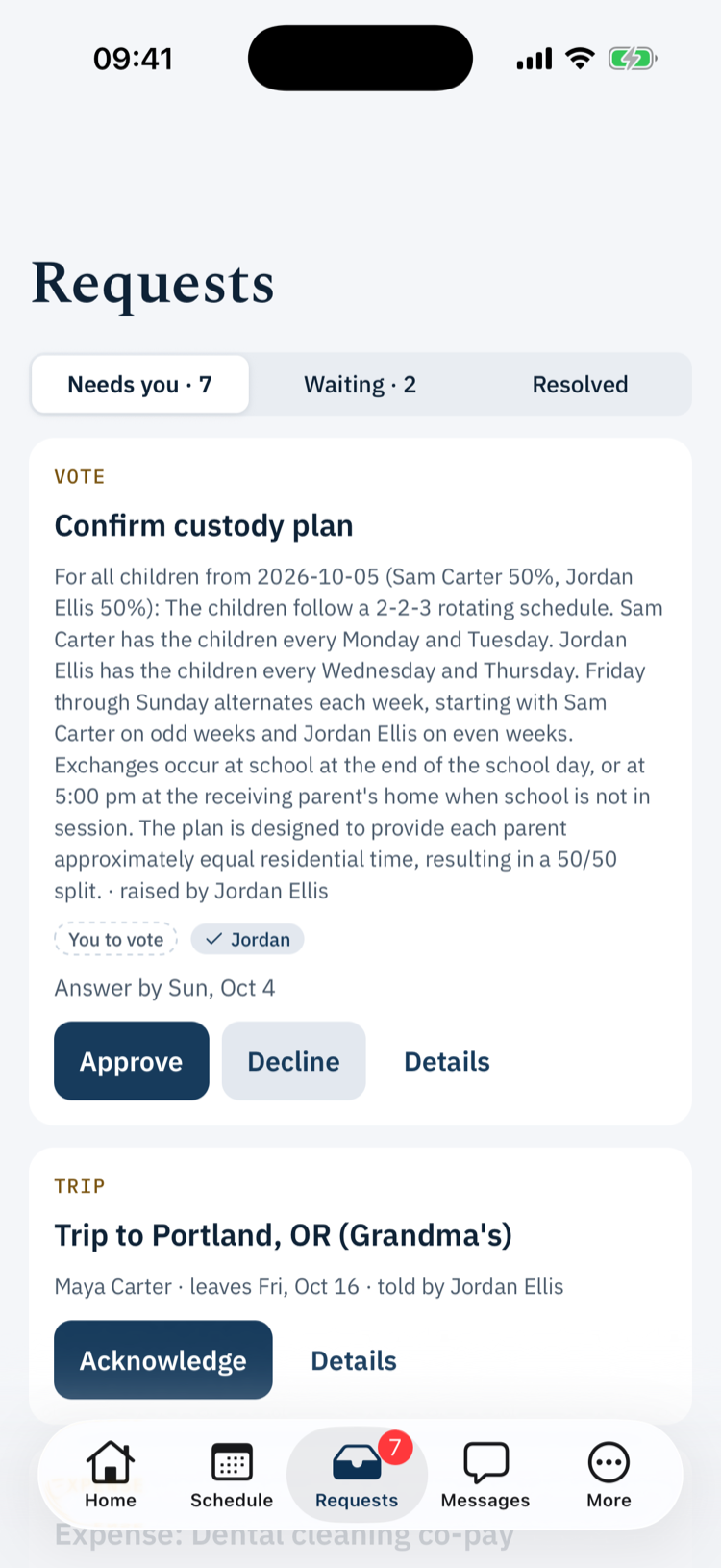
One shared conversation for the whole family, encrypted and kept as part of your record.
- Attach files and photos. Location data is removed from photos automatically.
- Safety screen: every message is checked before it's sent, and threats or controlling language aren't sent.
- Optional tone check: before you send, see how a message might land and get a calmer rewrite. It only suggests; you can always send your own words.
- Turn a message into a swap request: when a message asks to change a day, Wardline can draft the swap request from it for you to check and send.
- If your family has a shared professional, messages that raise a safety concern are flagged to them.
Belongings
Know where everything is
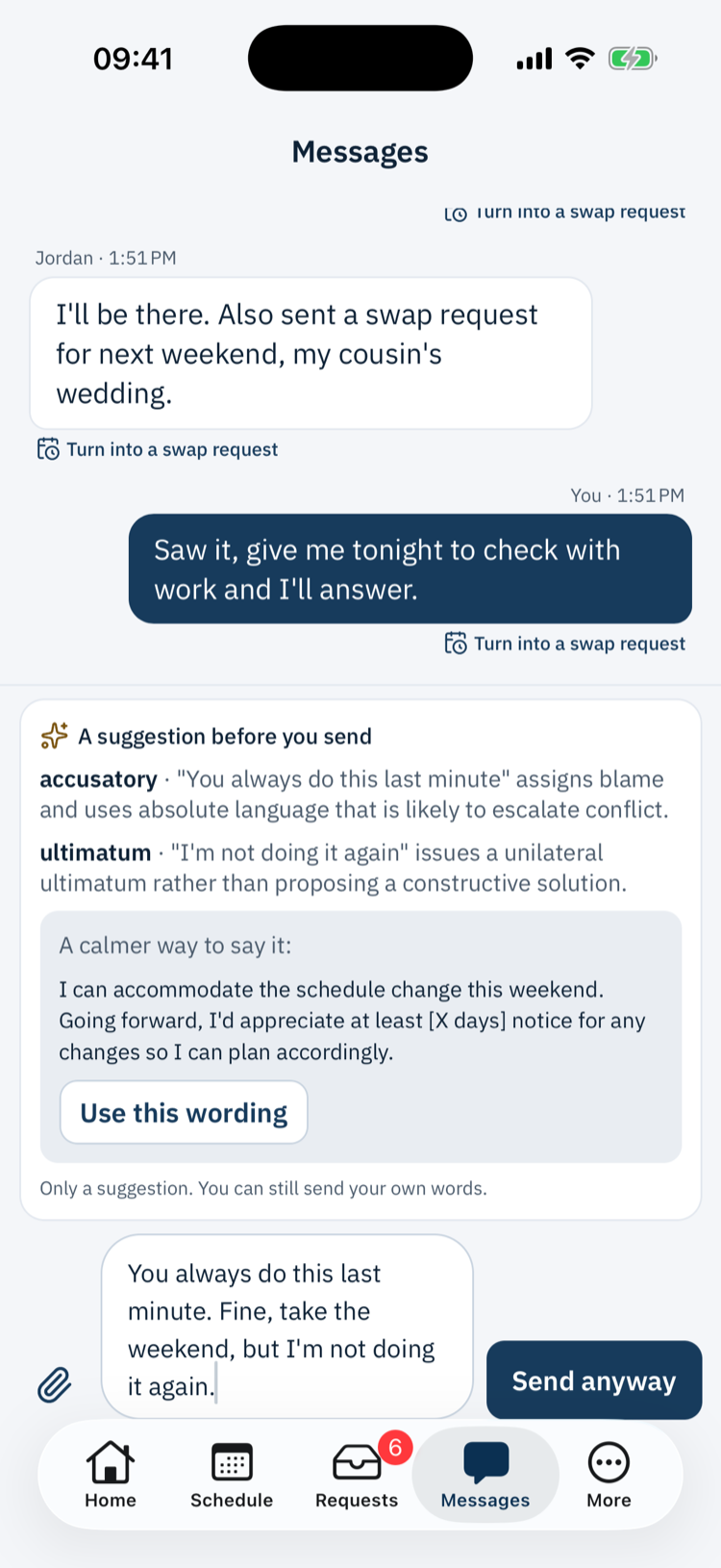
The passport, the inhaler, the school uniform, the favourite bear. Keep track of what moves between homes.
- A list of the things that travel, each with a photo, a child and a category.
- Always see which home each item is in.
- Handoffs are confirmed on both sides: the item only moves once the person receiving it confirms they have it.
- Removing an item from the list needs every parent to agree, so nothing quietly disappears.
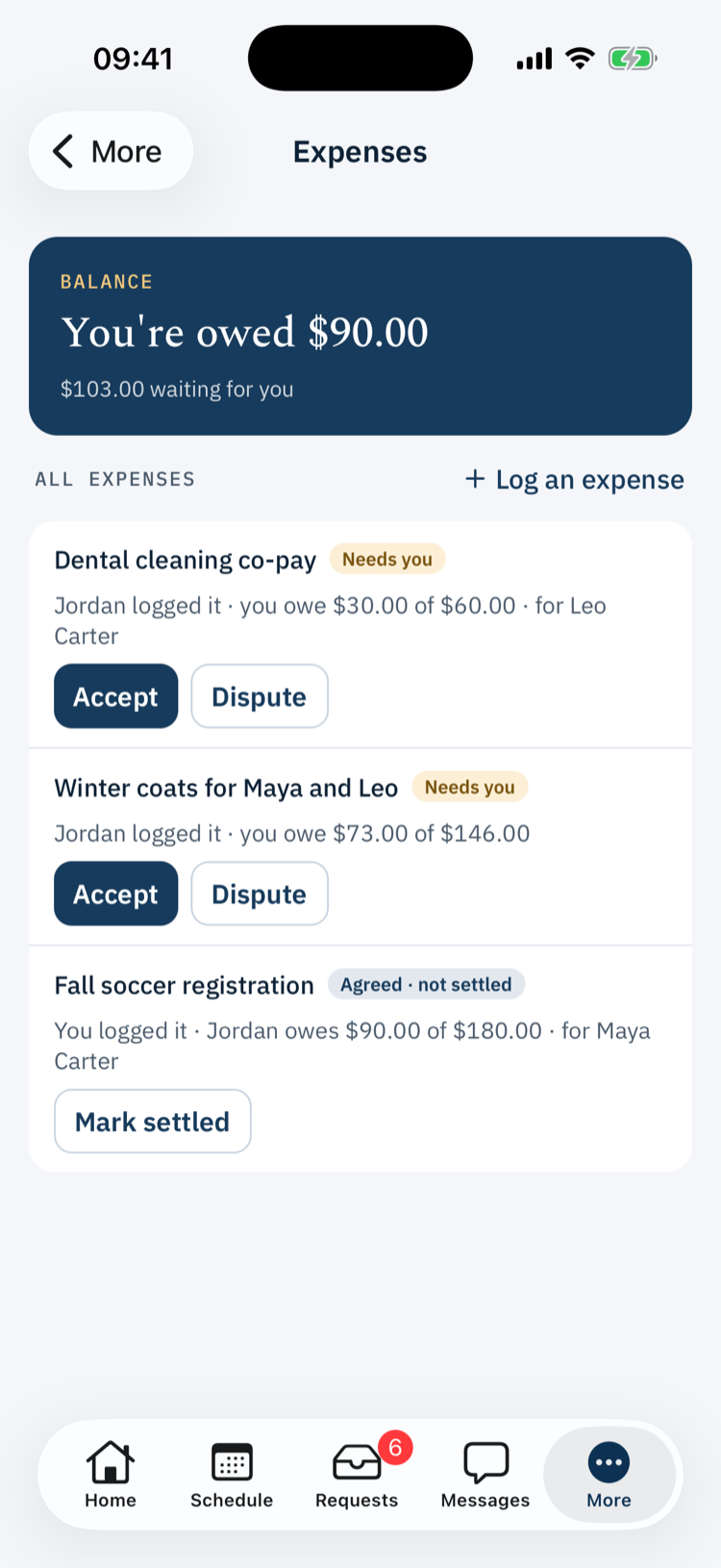
Expenses
Split costs without the back-and-forth
Log a child-related cost and how it's shared. No chasing, no spreadsheets.
- The other parent accepts their share or disputes it, with a reason.
- Mark it paid once it's settled, however you normally settle up.
Travel & appointments
Everyone in the loop
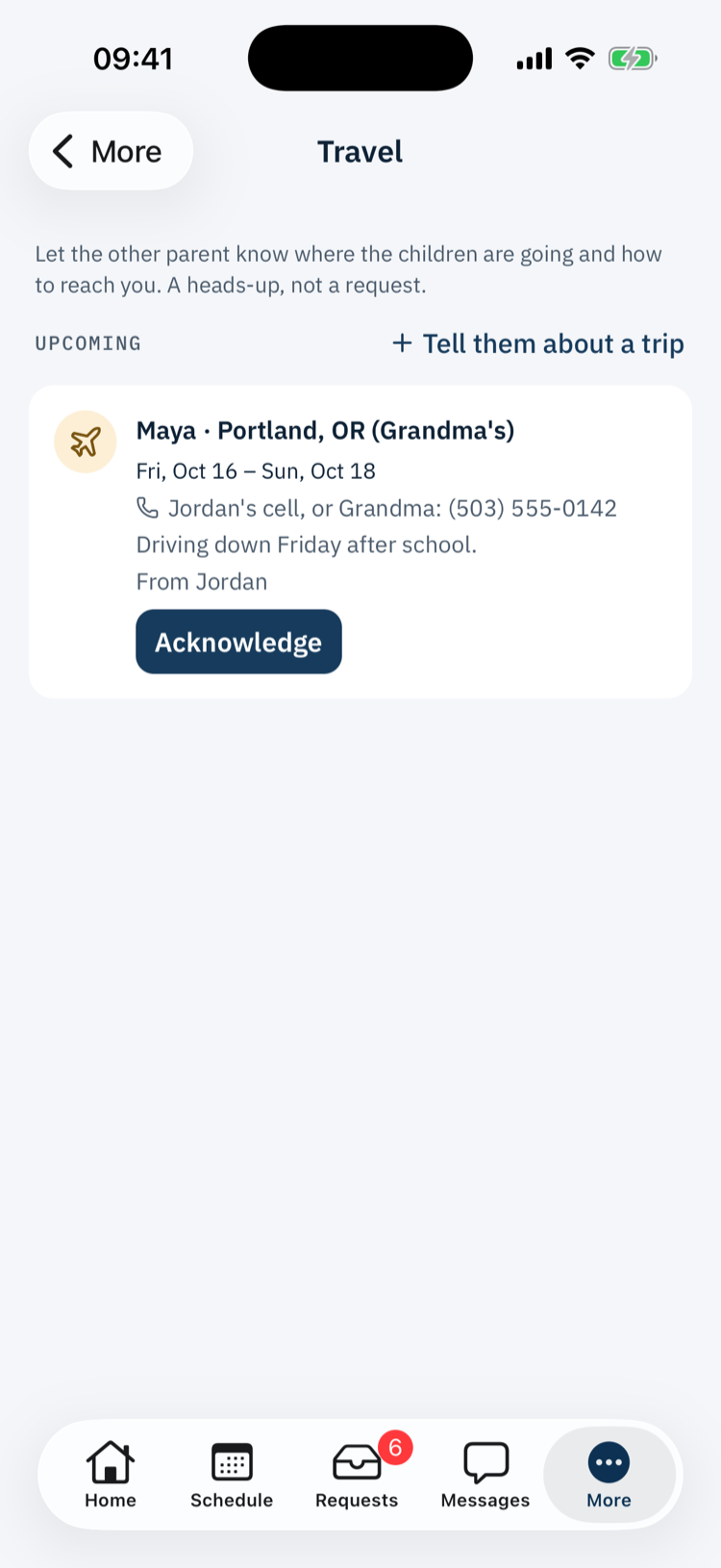
Some things just need sharing, not approving.
- Travel notices: taking the children away? Share where, when and how to reach you. It's a notice, not a permission request.
- Medical appointments: share the date, time, place and provider. Deliberately no diagnoses or treatment notes.
Handovers
The where, not just the when
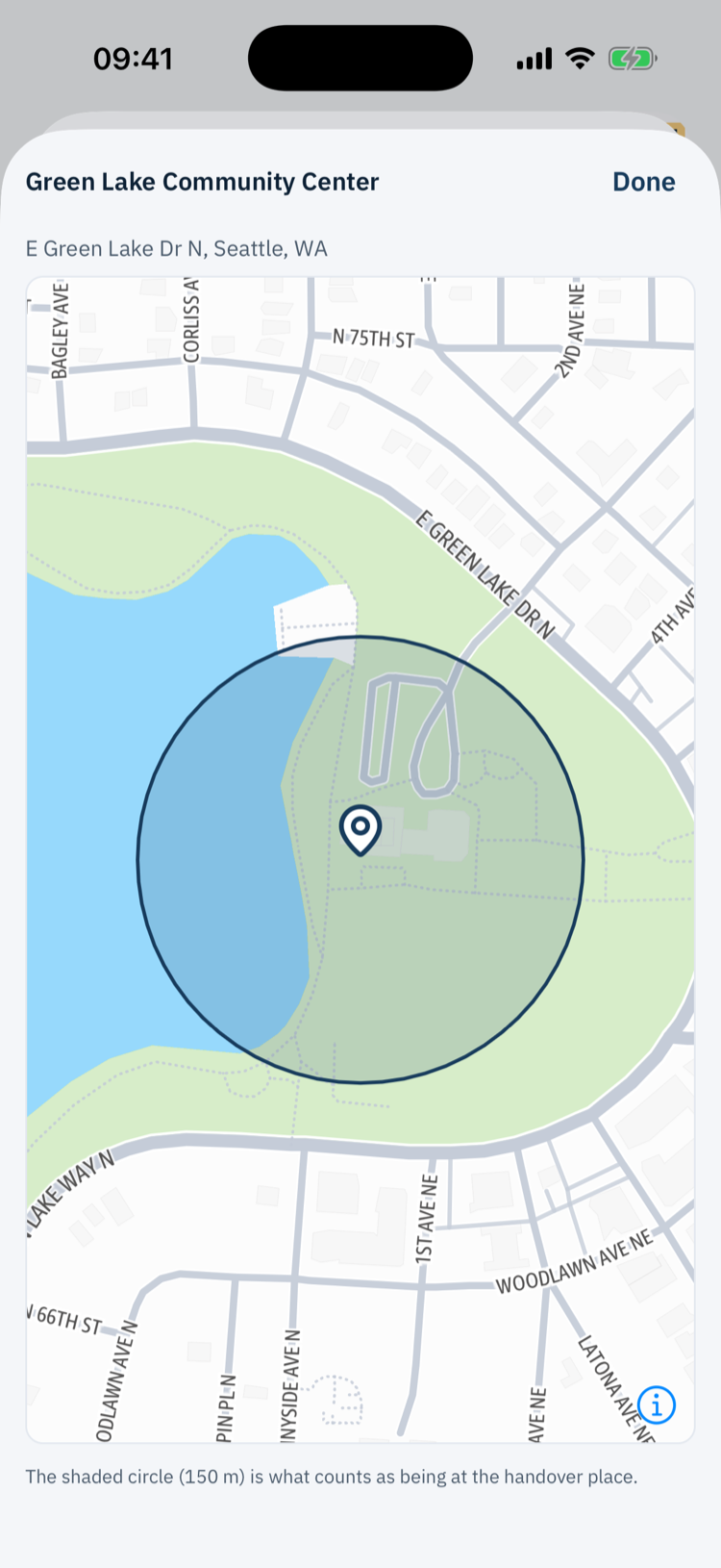
Every handover can have an agreed time and place, pinned on a map.
- Saved places: school, a parent's home, the usual car park. Pick one, or search for an address.
- Show on map wherever a handover appears.
- Optional check-ins: the receiving parent can confirm they're at the agreed place. It's off unless every parent agrees to turn it on, only works while the app is open, and records only whether they were there, never where they were.
Activities
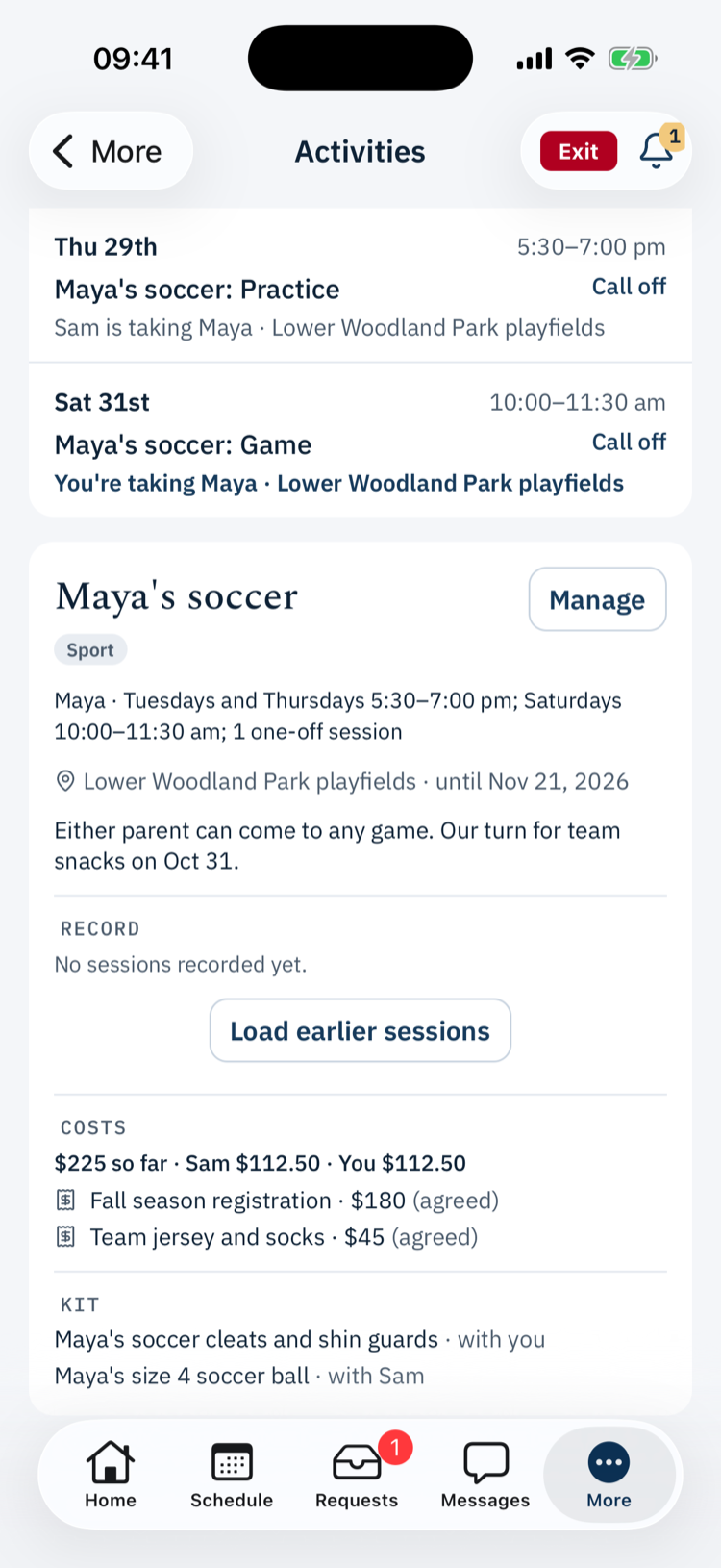
Soccer, swimming, music lessons
Agree a child's activity once, with its costs and kit, and everyone knows who's taking them.
- Whoever has the children when a session starts is responsible, swaps included, unless a session says otherwise.
- Costs become shared expenses, and kit becomes tracked belongings, with a reminder to hand it over.
- Check in at the venue, or call a session off with a note.
The household record
A record that checks itself
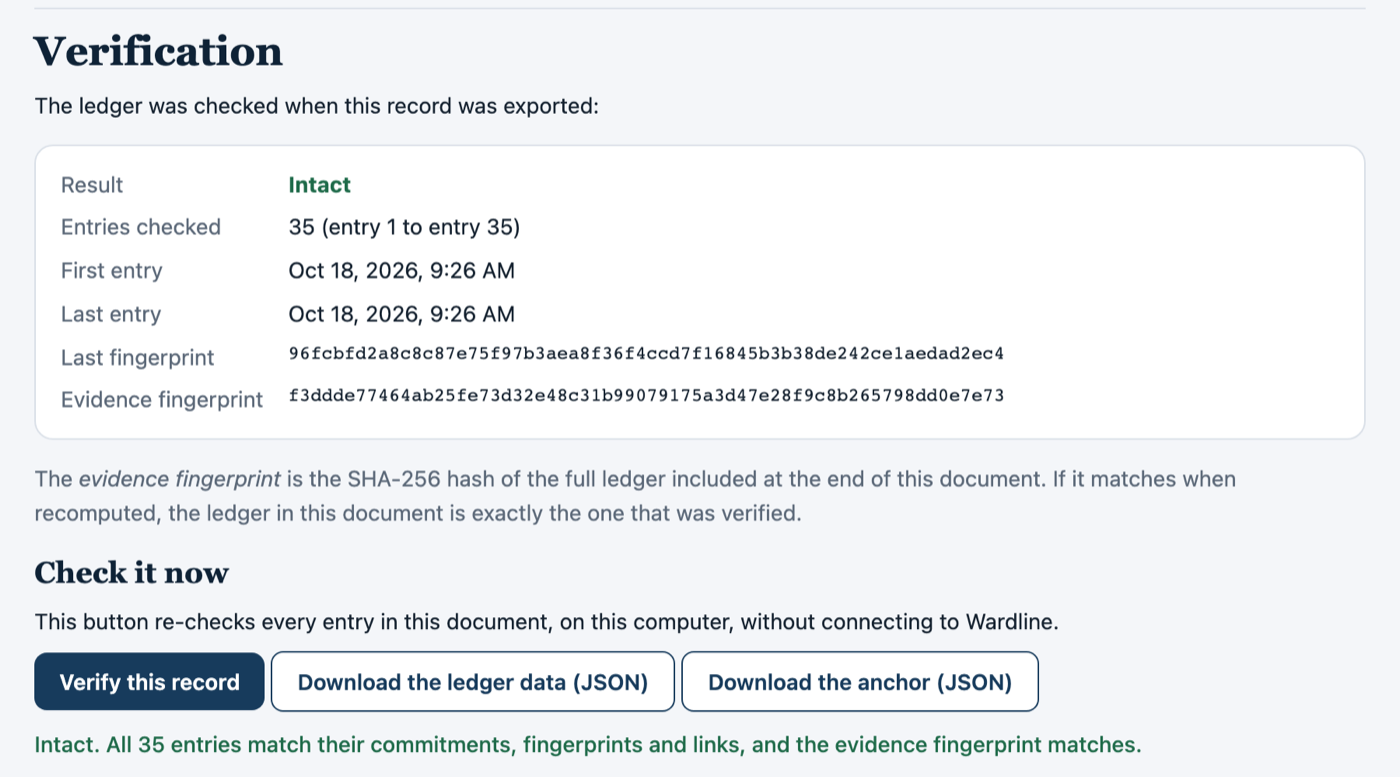
Download your household's full record as one document that explains itself and proves it hasn't been changed.
- It checks every entry when it's created, and anyone can check it again with the Verify button inside it, without contacting us.
- It prints cleanly, ready to share with a mediator, a lawyer or the court.
- Free, any time, for any member.
AI, with your permission
Help that asks first
Before you use messaging, Wardline asks your permission to use AI, separately from the terms, and shows exactly what's sent for each job.
- It runs on Amazon Bedrock, inside Wardline's own AWS account.
- Only what you're working on is sent: the message you're sending, a draft you choose to check, or the plan you choose to import. Nothing else from your household, such as your children's names, your schedule or other messages.
- Nothing you send is used to train any AI model.
- You can withdraw permission at any time. You can still read messages, but sending needs the safety screen, and the optional help turns off.
- Safety screen (every message): the message you're sending
- Tone check (optional): a draft you choose to check
- Swap request (optional): the one message you choose
- Plan import (optional): the text or file you choose to upload
One place for what's waiting
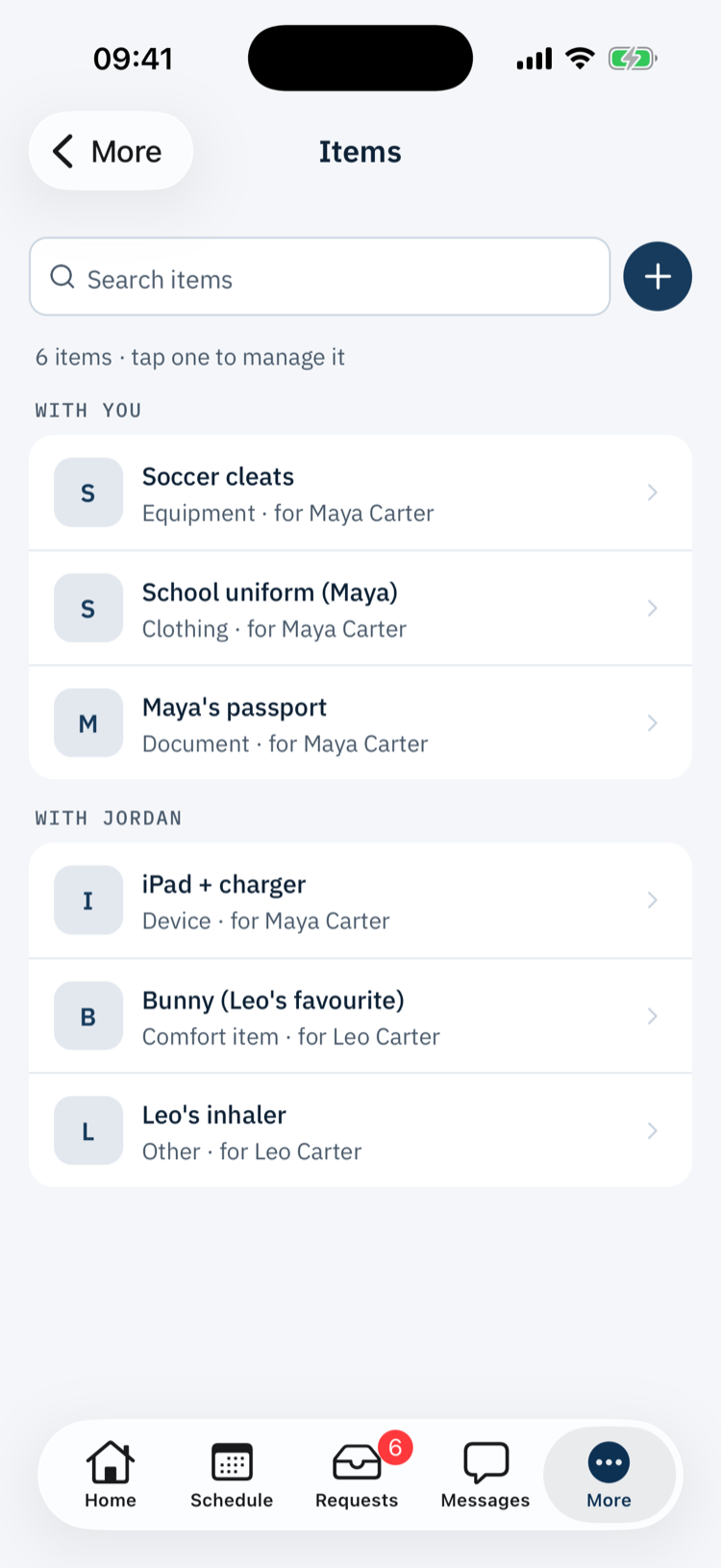
Votes, swaps, expenses and handoffs waiting on you, with notifications on your phone.
Gone in one tap
Instantly swaps the app for an innocent-looking screen, including in the app switcher.
On every device
iPhone and Android phones, with a sidebar on iPad and Android tablets. Large text, screen readers and dark mode supported.
Lost everything?
The other parents can approve restoring a parent's access, with their history intact. Support can't do it for anyone.
Phone, tablet and web
On whatever your family uses
iPhone and Android phones, iPad and Android tablets with room to see more at once, and the web.
- Today's handover at a glance, with the check-in and the place on the map.
- Large text, screen readers and dark mode supported.
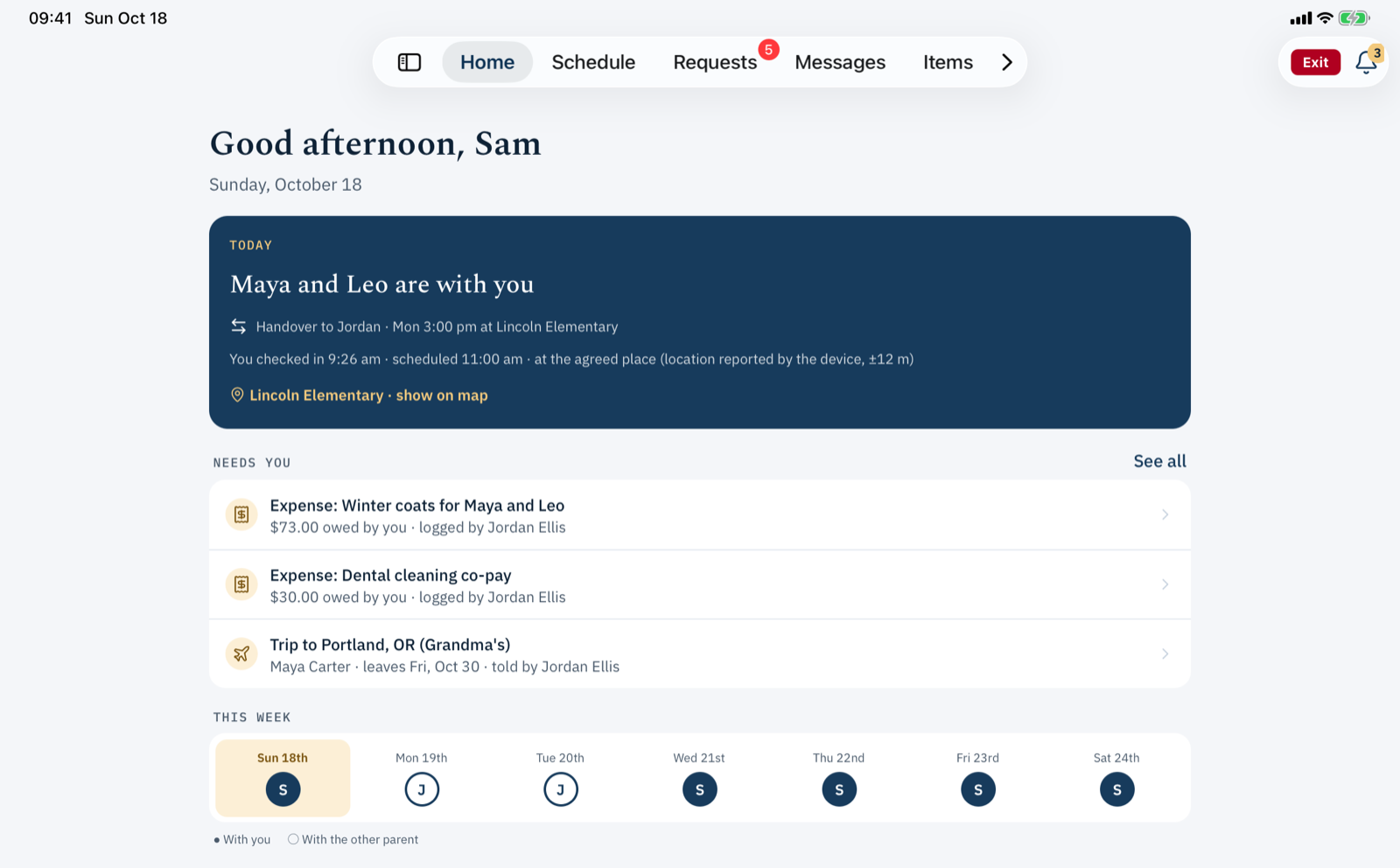
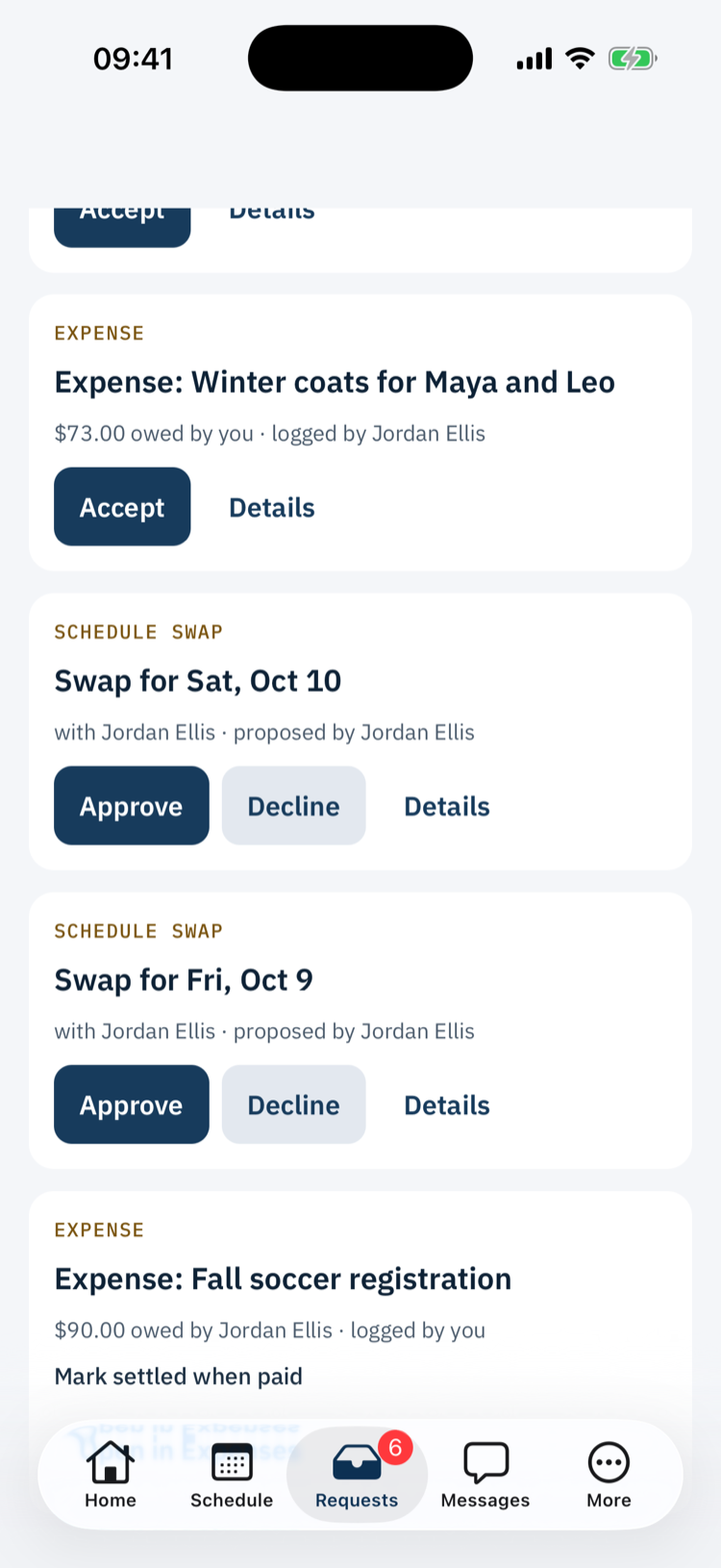
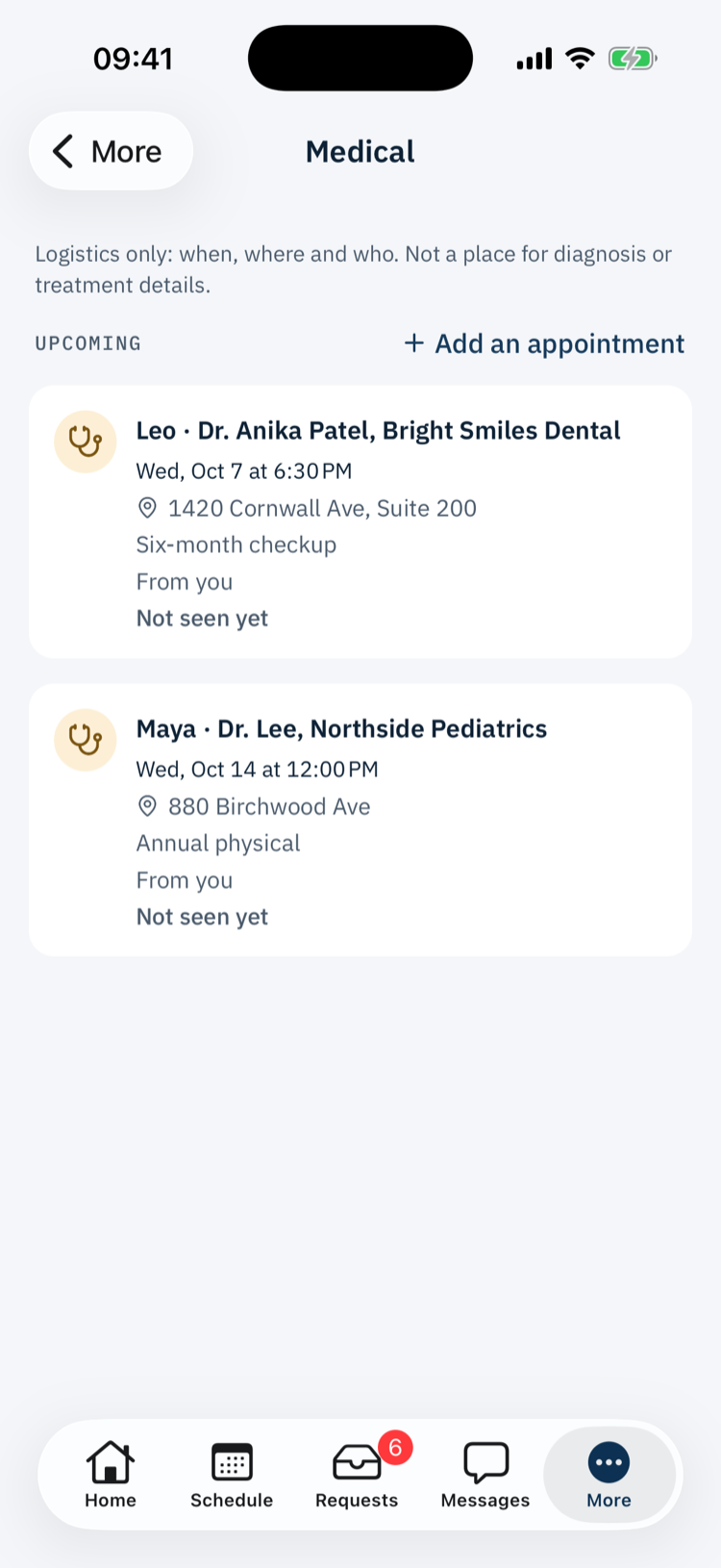
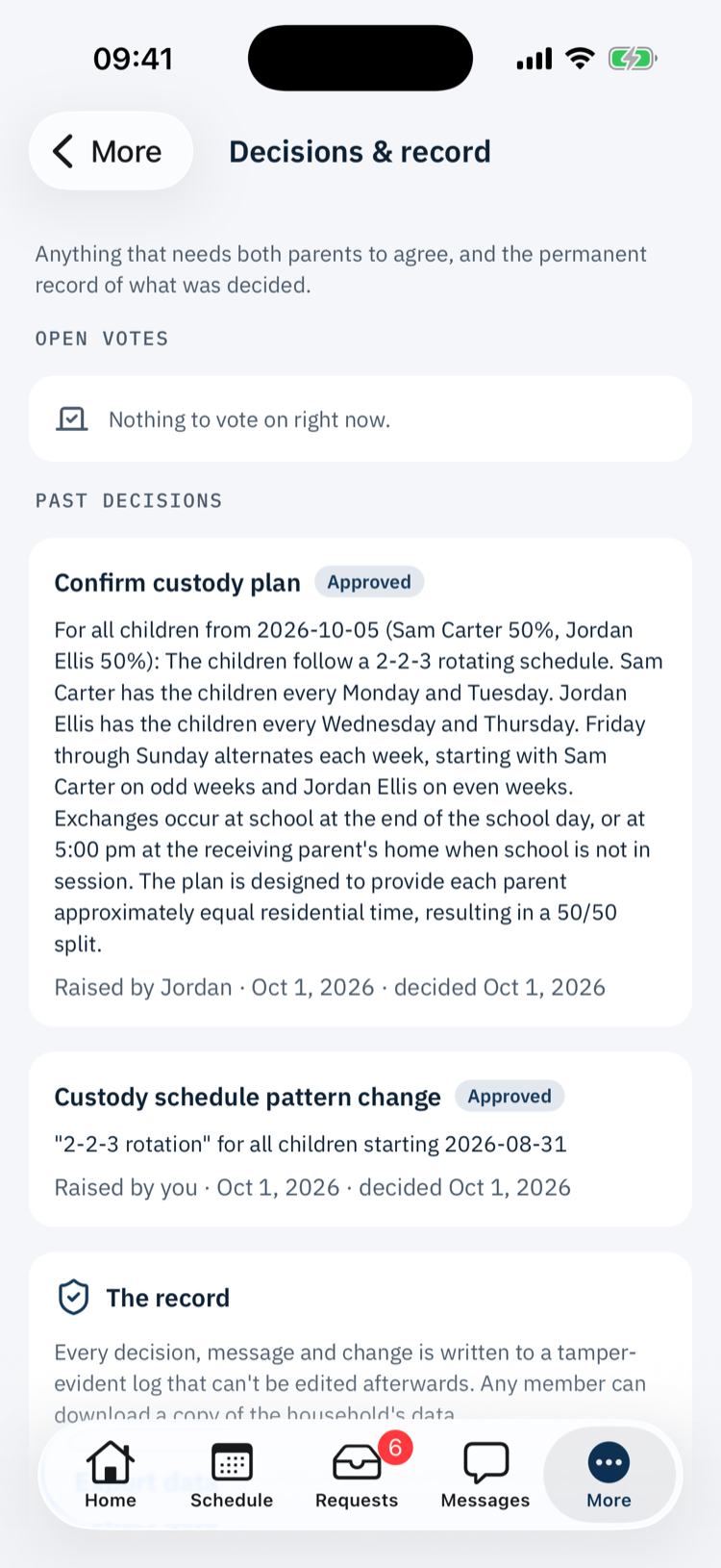
Real screens from the app, shown with a fictional family.
Blended families
Families blend. Wardline keeps up.
Other apps are built around exactly two parents, with everyone else bolted on as a lesser account. Wardline starts from how families actually are.
No fixed pair
Every parent or guardian has equal standing, whether there are two, three or more.
Linked, privately
A child who's part of two families can be linked between them with a one-time code. Each household keeps its own private record, neither sees anything identifying about the other, and either can remove the link.
One combined calendar
Co-parenting in more than one family? See every schedule in one view, if you choose.
Fair by design
Who needs to agree
Everyday things are quick. Things that affect everyone need everyone. Here's exactly which is which.
Everyone agrees
Every parent or guardian must approve. One decline stops it, and unanswered requests expire.
- Changing the regular custody pattern, or a new schedule
- Adding a child's activity
- Turning handover check-ins on or off
- Confirming your parenting plan
- Recording a change against the planIn advance or afterwards
- Making someone a parent or guardian
- Removing a parent or guardianAll the other parents agree
- Bringing in a shared mediator or professional
- Letting a professional read messagesOff by default
- Removing an item from belongings
- Closing the family's accountWith a 30-day window to export first
- Restoring a locked-out parent
- Any Wardline staff access to your recordsOne item, time-limited, any parent can end it
Other person confirms
Between the two people involved.
- One-off schedule swapAccept, decline or suggest another day
- Handing over a belongingThe person receiving it confirms
- Splitting an expenseAccept or dispute
Just you
Shared with everyone, no approval needed.
- Sending a message
- Travel noticeA notice, not a permission request
- Adding a medical appointment
- Inviting a household member
- Linking a child to another householdA parent on each side takes part
- Exporting your record
If you can't agree
The question goes to a shared professional you've both chosen. If you don't have one, it stays open until you resolve it yourselves. Wardline never takes sides or decides for you.